Everything a school office does, in one system
Not a list of modules — the actual daily work of a school: collecting fees, marking attendance, running exams, answering parents. Every feature below is built and running in real schools today — none of it is planned or in progress.
Fees & money
Collect faster, chase less
The fee counter is where a school loses the most time and the most money. Schoolmix is built outward from it.
Set up a whole year's fees on one screen
Fee heads — Tuition, Exam, Transport, Meal, whatever your school charges — filled in against every class in a single bulk grid, instead of one class at a time. Last year's structure stays untouched when you set up the new one.
Generate a month's bills, or undo the whole run
Generate for the whole school, selected classes, or a single fee head — an exam fee doesn't have to drag tuition with it. One bill per child per month is enforced, so a class can never be billed twice for the same period. Got a month wrong? Undo it and generate again.
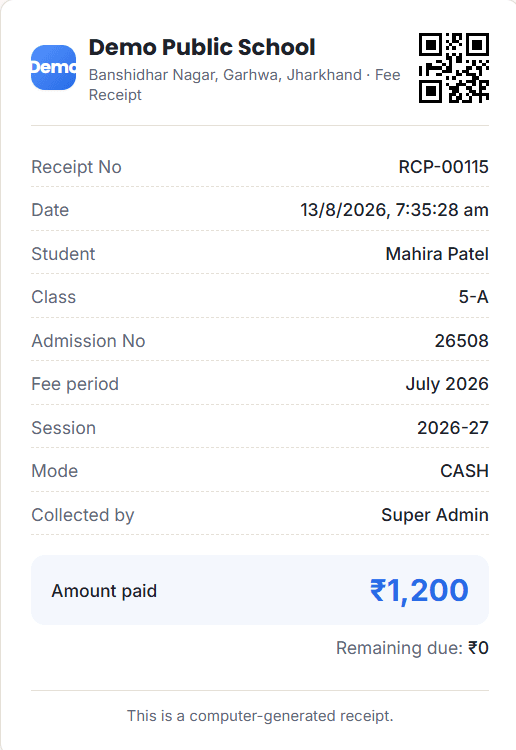
A proper printed receipt, on the spot
Cash, cheque or UPI QR at the counter, receipt printed in seconds. A part payment settles the oldest bill first automatically, and anything paid extra is held as advance credit for next month.
Concessions and fines, capped and on record
A concession cannot be given for more than the bill itself. Fines can be added by hand or applied automatically from the due date. Every one carries a reason, so there are no quiet adjustments.
Cheques and mistakes, handled properly
A cheque is tracked pending, cleared or bounced. A wrong payment is voided, not deleted — the receipt number stays used, so the book is never left with a hole in it.
Raising the transport fare for everyone, without 300 edits
Children are grouped by the fare they currently pay, the system shows how many are on each, and a whole group moves to a new fare in one step. It shows exactly what will change before writing anything — and the whole run can be undone.
Students & admissions
One clean roll
One record per child, from the enquiry form to the day they leave — never retyped.
Bring in what you already have
Import your existing student list from a CSV file, including each child's transport amount, so your Excel work carries over instead of being redone from scratch.
Bulk add for a whole class at once
A grid to add or edit an entire class together, with each child's optional services and amounts alongside — faster than opening one record at a time.
New session in one step, with undo
Promote every class at once for the new year, and reverse the whole thing if something about it was wrong.
Left, passed out or came back — tracked properly
A child who finished Class 12 is not filed the same as one who moved away, and a child who returns keeps their old record instead of starting fresh.
Admissions without a phone call
A public enquiry form on your school's site lets a parent apply directly. Your office approves it into a real student record, or declines it with a reason — nothing touches your roll until you say so.
Exams, marks & timetable
The paperwork that used to take evenings
Set up once per exam, and let the system do the totalling.
Marks entry that never loses work
Enter marks subject by subject; it saves as the teacher types, so a dropped connection mid-class doesn't cost the work already done.
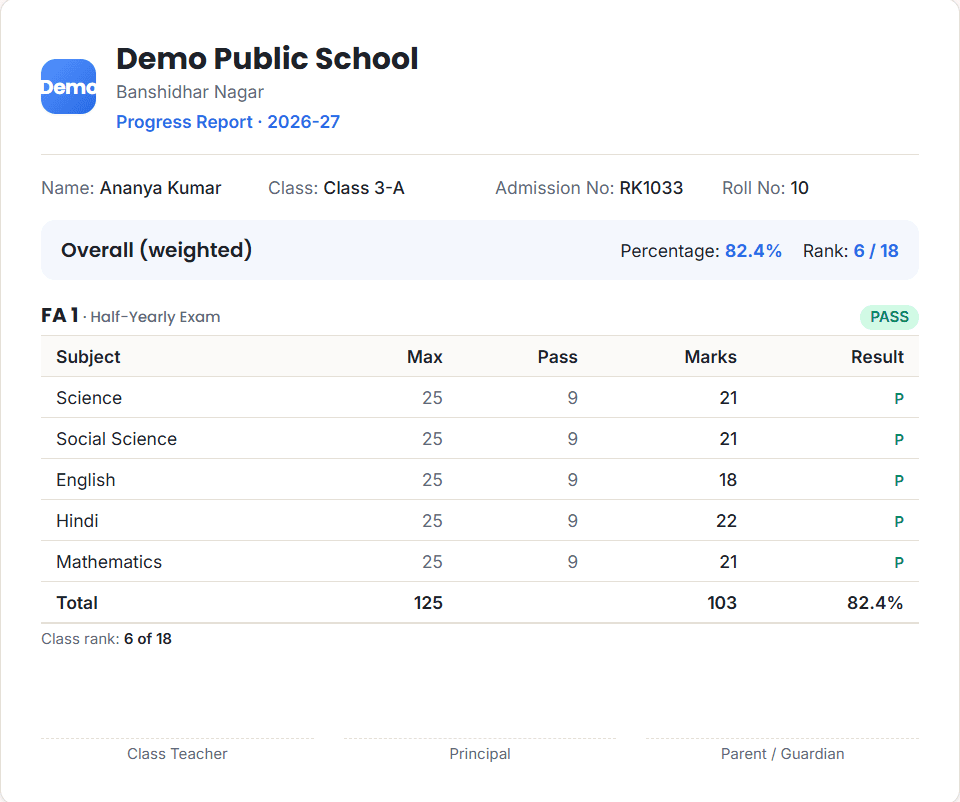
Totals, percentage and class rank — automatic
No spreadsheet formulas to maintain, and none to get wrong.
Parents see a result only when you release it
A publish gate keeps a half-entered result out of the parent portal until the school is ready to share it.
Report cards, admit cards and timetables — all printed
A report card per child, admit cards two-up on an A4 sheet for a whole class at once, class and teacher timetables so nobody is booked into two rooms, and a substitution board for the day a teacher is absent.
Attendance
Marked from the classroom, on a phone
Built to be taken standing in front of the class, not typed up later at a desk.
One tap per child
The class teacher's own list, responding instantly rather than after a save — nothing extra to open.
Holidays and Sundays handled properly
Named school holidays are set once for the whole school, and Sundays are off automatically, so a percentage is worked out only from the days the school was actually open.
A teacher only ever sees their own class
Not a setting that can be got wrong — access is worked out from the class a teacher is assigned to, every time they ask for anything.
The paper register, printed
Students down the page, days across it — the shape a school has always kept, so nobody needs teaching how to read it.
Parents, teachers and the principal
Each their own view
No app store, no downloads to explain — it opens in the phone's browser and adds to the home screen like an app.
Parents log in with just their mobile number
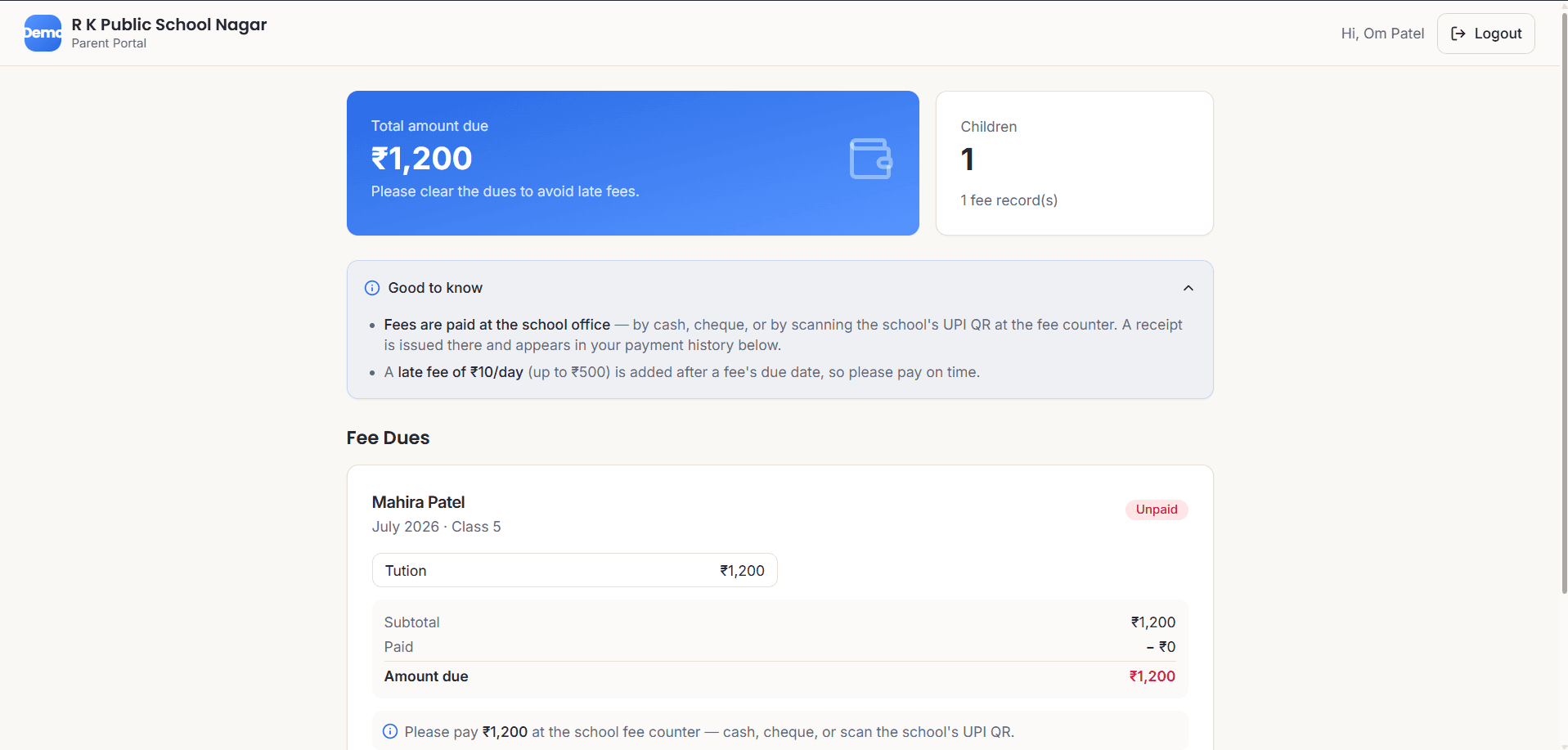
Most parents have no email address to remember, so the phone is the account. They see every child's bills, every past receipt, results once published, attendance and the timetable.
Teachers see their class, and nothing else
Attendance, marks entry and their own timetable — from their own phone, with no queue at the office computer.
The principal sees the whole school, plus who did what
The audit log means "who voided that receipt" is never a question that has to be asked of the person who did it.
Reminders that cost nothing to send
Click-to-WhatsApp opens a message already written, on the school's own phone. Automated WhatsApp fee reminders are also built and ready, for whenever a school wants them switched on.
Mistakes, and getting out of them
Software that makes destruction easy and recovery impossible costs a school more than software that simply does less. Everything here is undone inside the app — never by someone editing a database by hand.
Deleted the wrong child? The recycle bin, not gone
Restored with the same record, so their bills, receipts and results all still point at them.
Wrong payment, wrong month, wrong concession
Void a payment, undo a whole month's billing, remove a concession — each one reverses cleanly, and the receipt numbering is never left with a hole in it.
Every consequential action, logged
Who did what, and when — readable by the principal, not only by the person being checked on.
Backed up every night, and the restore is tested
An automatic snapshot is taken before any restore, so even a wrong restore is recoverable. You can also download your own backup, any time — it's your data.
Your own database, your own address
Not a shared table with another school's children in it, and HTTPS renews itself automatically on your own domain.
Everything it prints
Every document is pulled from the record already on file, so a name, class or amount is never typed twice, or spelled two ways.
Fee receipt
Branded with your school's name and address, given at the counter or reprinted years later.
Report card
Subject-by-subject marks, total, percentage and class rank.
Transfer certificate
Filled from the child's record, including date of admission and reason for leaving.
Bonafide certificate
The one parents ask for at a bank or a passport office.
Admit card
For an exam, a whole class printed in one run.
Class timetable and exam date sheet
For the noticeboard, and visible to parents in the portal.
Attendance register
Students down the page, days across it — the paper register, printed.
Student register
The full roll, class by class, with parents and phone numbers.
The school report
One PDF answering money in, money owed and every defaulting child, month by month and class by class — built to hand to a director or a trustee on its own.
Stated plainly
What Schoolmix does not do
You have almost certainly been shown a demo that promised everything. Ask any other vendor for this page.
- One school per installation. It is not a multi-branch system — two schools means two separate installations, on purpose, so your data and another school's are never in the same database.
- No payroll or salary processing. Staff records and staff attendance are there; paying them is not.
- No library, hostel, inventory or transport-route planning. Transport is billed, not routed — buses and stops are not tracked.
- No biometric or RFID devices. Attendance is marked by a teacher, on a phone.
- The interface is in English. Built-in help is in Hindi; screen labels and buttons stay in English.
- It needs an internet connection. It adds to a phone's home screen and opens full-screen like an app, but it will not work offline.
- Online payment costs a percentage, if you switch it on. That is the payment gateway's charge, roughly 2.5%, not an extra Schoolmix takes.
- No SMS. Reminders go by email, and by WhatsApp if you enable it.
This is built and supported by one developer, not a company with a call centre. That is why it can be changed for you in days rather than quarters — and it is also why you should ask me directly what happens if you need something urgently.
Easier to show than to list
Fifteen minutes on a call and you’ll see the fee counter, the defaulter list and the parent app live.