School fee software your office will actually use.
Schoolmix replaces the receipt book, the fee register and the Excel sheets with one simple system — set up, hosted and personally supported for your school. Built for private schools in India with 300 to 2,000 students.
0
schools in Jharkhand run their daily fee counter on Schoolmix
300–2,000
students — the school size it is built and priced for
Every night
automated backup to Google Drive, with restores actually tested
Apr–Mar
the school session Schoolmix bills around, same as yours
Why Schoolmix
Why schools move off paper registers and Excel
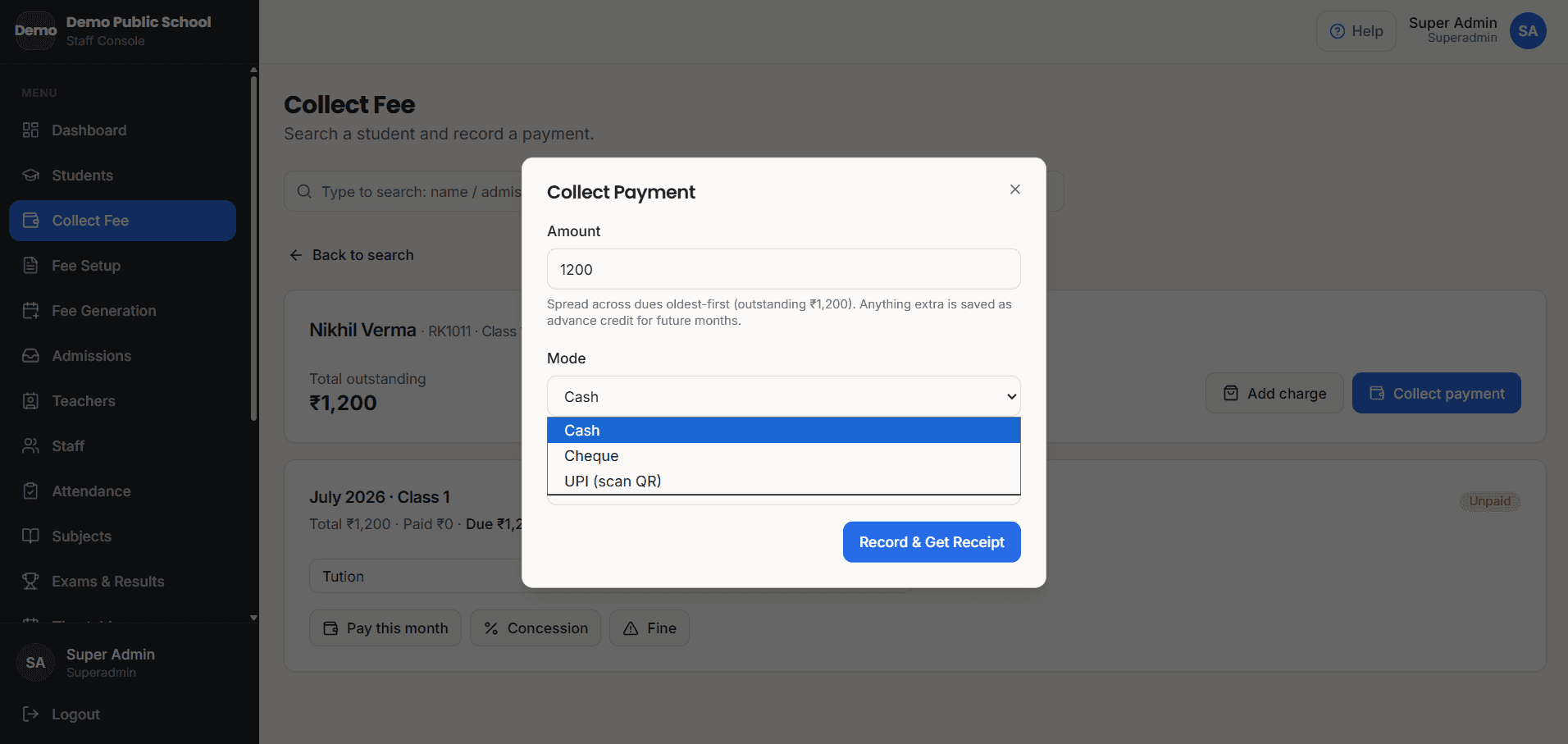
A printed receipt in seconds, not a receipt book
Cash, cheque or UPI QR at the counter — receipt printed on the spot. One payment can clear several months, and extra money is held as advance credit automatically.
Know exactly who has not paid
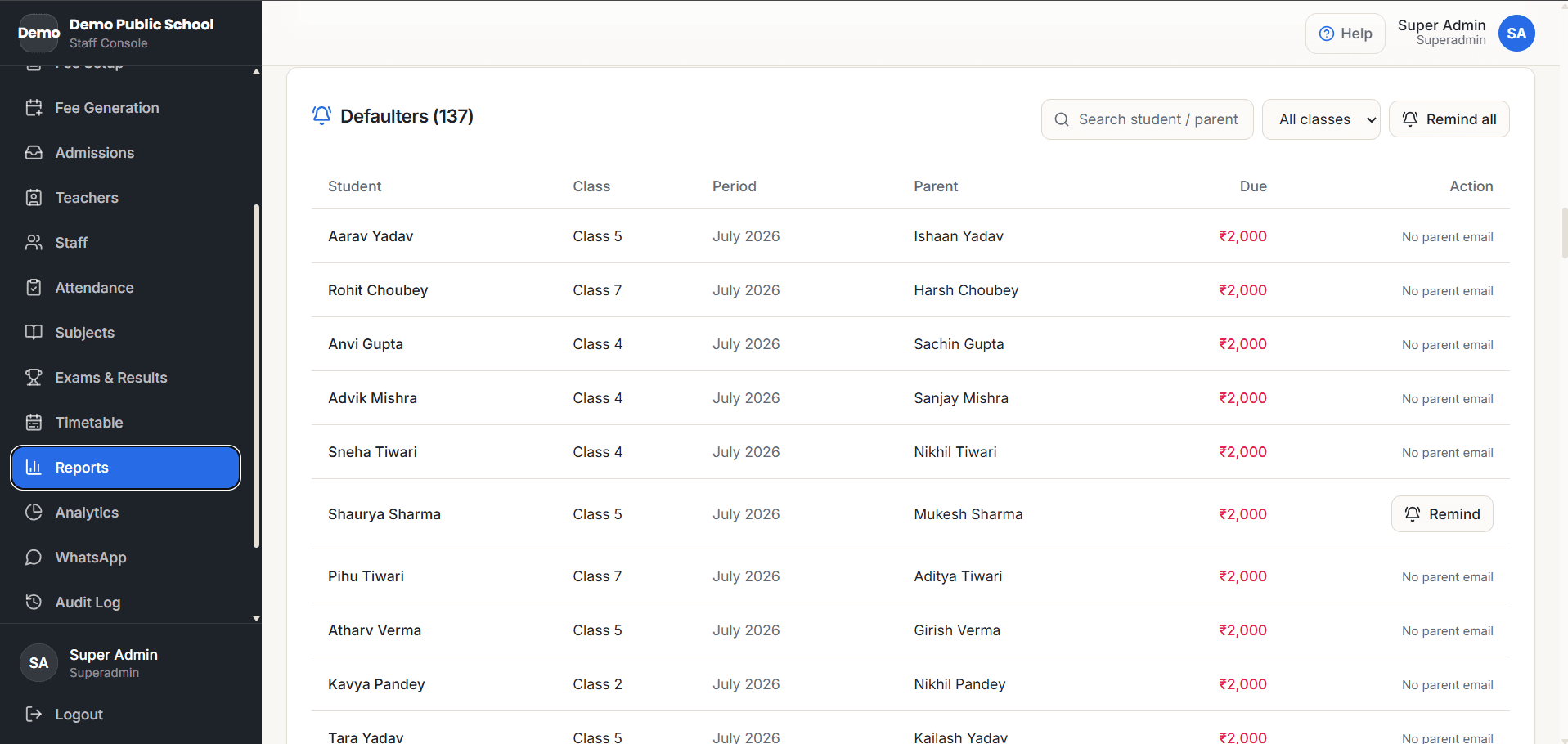
Outstanding fees per student, class and month — always current. Late fees apply themselves from the due date. The defaulter list is one tap, not an evening with the register.
Parents see everything on their phone
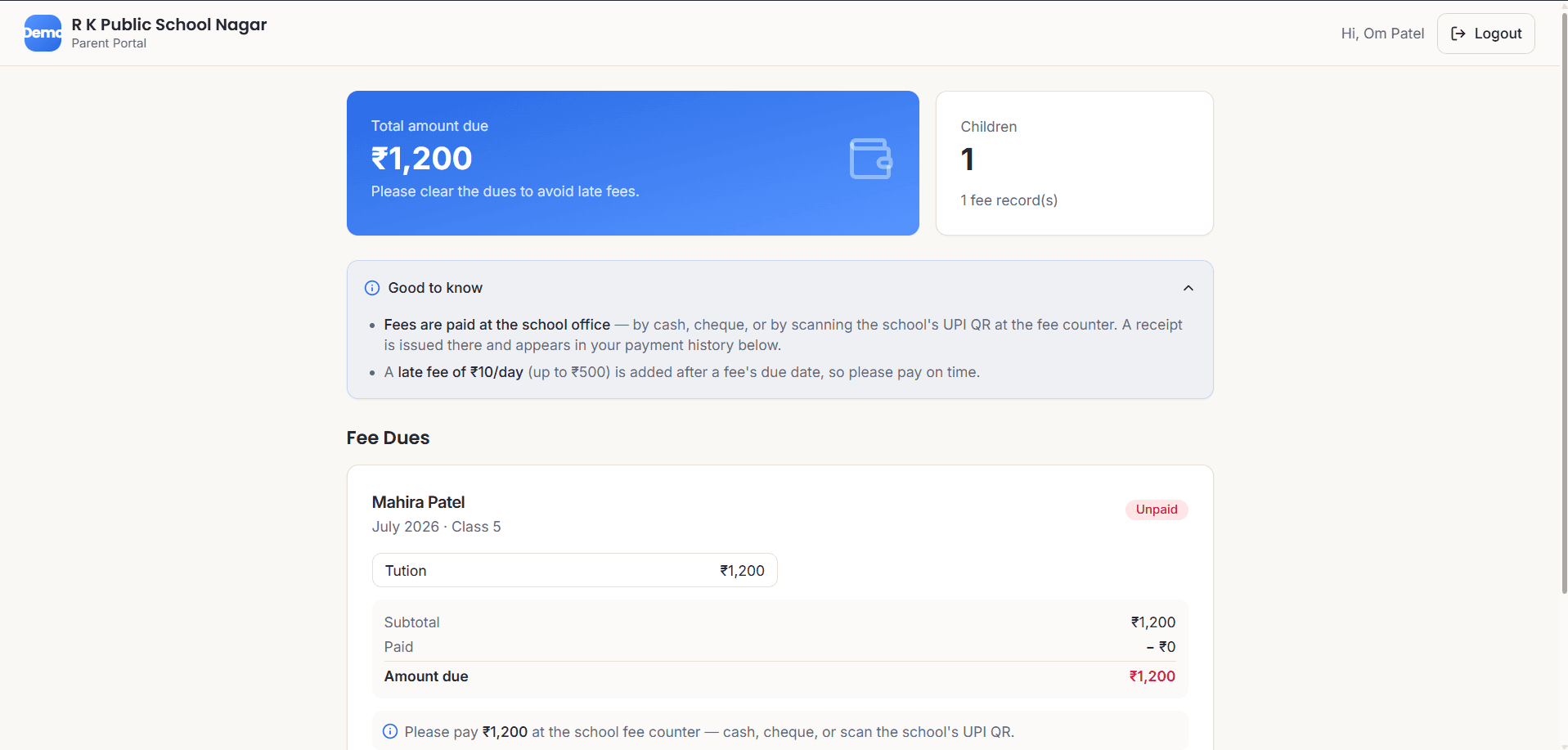
They log in with their mobile number — no app to install — and see fees due, receipts, results and the timetable. Optional WhatsApp fee reminders too.
Your records can't quietly disappear
Void a payment or undo a whole month's billing without ever leaving a gap in your receipt numbers. Nightly backup to Google Drive, with an automatic snapshot before every restore. Nothing in Schoolmix is deleted for good.
See it working
What your office and parents will see
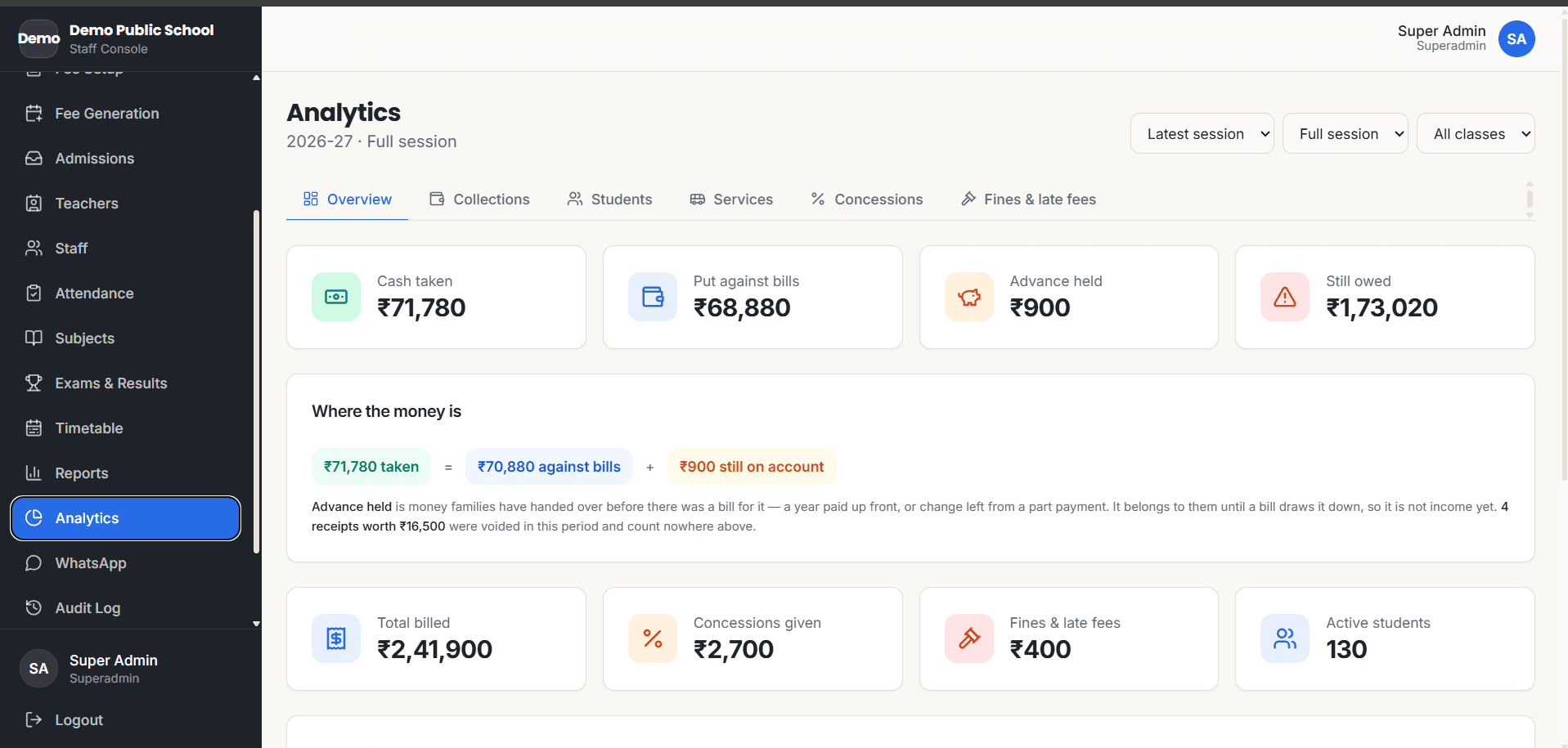
Real screens from the running product — not mock-ups.
Getting started
You don’t install anything. I set it up for you.
- 1
I set it up for your school
- 2
We load your students and fee structure together
- 3
Your office is trained on real work
- 4
I run the server, backups and support
Straight answers
Questions school owners ask me
Is Schoolmix a full school ERP or only fee management software?
Both. At its core it is a fee management system — collection, receipts, dues, defaulters. Around that it is a complete school ERP: student records, attendance, timetables, exams, report cards, admit cards, staff records, and parent and teacher portals. You can start with fees alone and grow into the rest.
My school is in Bihar or Uttar Pradesh — can you set it up?
Yes. I'm based in Jharkhand, and for schools in or near it — including much of Bihar — I come in person for setup and training. Further away, the same setup happens over calls and screen sharing: the software runs in the browser, so distance changes nothing about how it works day to day.
Can parents pay fees online, by UPI or card, instead of at the counter?
It's built and tested — card, UPI and netbanking through Razorpay, with signature verification and an automatic receipt — but switched off by default in the schools running today, because the payment gateway keeps roughly 2.5% of every rupee and those schools would rather collect at the counter and keep it. It's one setting to turn on if you want it, and that small charge can be passed to the parent or absorbed by the school.
What does Schoolmix not do?
It's one school per installation, not a multi-branch system, so two schools never share a database. There's no payroll, no library, hostel or inventory management, and no biometric device integration — attendance is marked by a teacher on a phone. The screen labels are in English (help text is in Hindi), and it needs an internet connection to work. I'd rather tell you this now than have you find out later.
How much does it cost?
Pricing depends on the size of your school, and I give it to you straight on a call or WhatsApp — a clear quote, no hidden add-ons. Hosting, backups, support and updates are part of the service, not extras.
Is our data safe? What if something gets deleted?
Each school has its own isolated database — your data is never mixed with another school's. An automated backup goes to Google Drive every night, and I test restores. Inside the system, deleted records go to a recycle bin and every action is recorded in an audit log, so nothing is ever silently lost.
What happens if our internet is down?
Schoolmix runs over the internet, so you need a connection to use it — but an ordinary mobile hotspot is enough to keep the fee counter running. Your data is stored on the server, not on the office computer, so a power cut or a broken PC at school never touches your records.
Do we need to buy computers or a server?
No server, ever — I run that. One computer with a printer at the fee counter is enough to start. Teachers use their own phones for attendance and marks, and parents use theirs to see fees and results.
We keep everything in registers and Excel. What about our existing records?
That's how most schools come to me. During setup we sit together and load your students and fee structure into the system — student lists can be imported in bulk from a CSV file, so your Excel work is not wasted.
Who will train our office staff?
I do, personally — at the fee counter, on your real data, until they are collecting fees and printing receipts confidently. After that, every page in the system has built-in help in Hindi and English, and I stay one WhatsApp message away.
Our staff are more comfortable in Hindi. Will they manage?
Yes. Every page has help text in both Hindi and English, the workflows mirror what a fee counter already does on paper, and I train your staff in person.
Can parents really use this?
Parents log in with just their mobile number — no app to install, no password to invent. It opens in the phone's browser and can be added to the home screen like an app. They see fees, receipts, results and the timetable.
What if we stop using Schoolmix later?
Your data belongs to your school. If you ever decide to leave, I hand over a complete export of your records — students, fees, everything. You are never locked in.
Who do we call when something goes wrong?
Me — the person who built the software and set up your school. There is no call centre and no ticket number. Schools reach me on WhatsApp or phone.
Where I work
School ERP for Jharkhand, Bihar and Uttar Pradesh
Schoolmix is built and run from Jharkhand, India, and the 2 schools using it today are here. For schools in or near Jharkhand — including much of Bihar — I come to your school in person for the setup, the data loading and the staff training.
Further away in Bihar, Uttar Pradesh or anywhere else in India, the same setup happens over calls and screen sharing. The software runs in the browser and the server side is entirely my responsibility, so a school in Patna, Varanasi or Lucknow runs exactly like a school ten minutes from me — same fee counter, same parent portal, same nightly backups, same person answering on WhatsApp.
See it running with your own classes and fee structure
Message me on WhatsApp and I’ll walk you through Schoolmix — and if your school is in or near Jharkhand, I can visit in person.